You can try the following:
- Check the spelling
- Try another search
You can change data via the settings in the profile.
Het is niet mogelijk om uw e-mailadres, telefoonnummer of adresgegevens te wijzigen. Dit kan via de locatie van uw zorginstelling of uw behandelaar.
Ga naar de website van uw zorginstelling en login bij mQ-Cliënt.
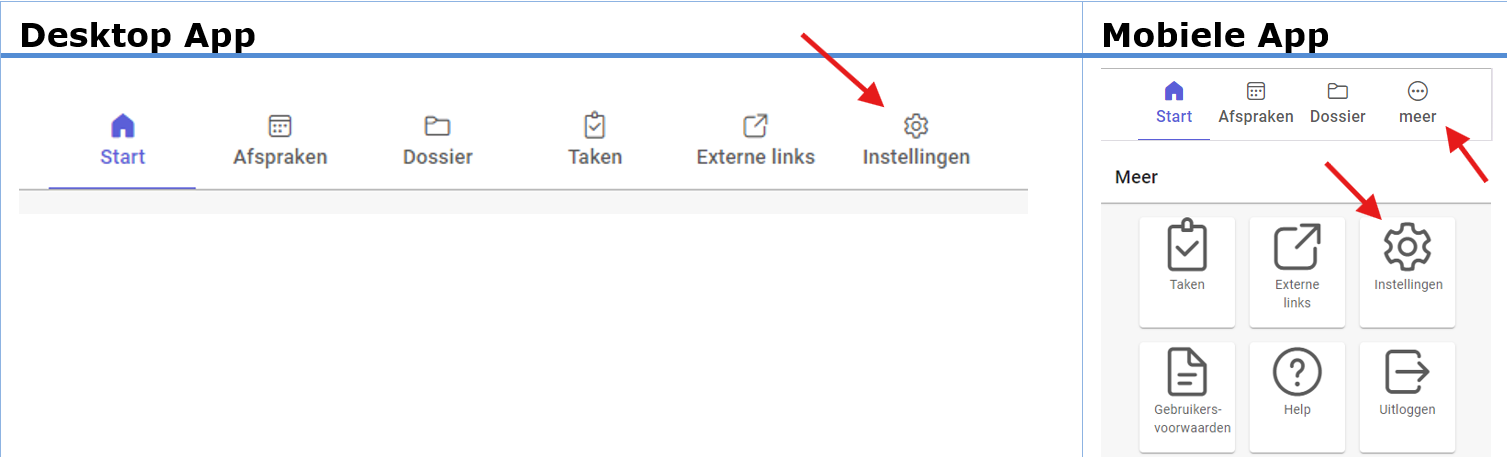
Then click 'Institutions' This is shown at the top right of the image.
If you are using a mobile, click first 'More' and then up 'Institutions'.
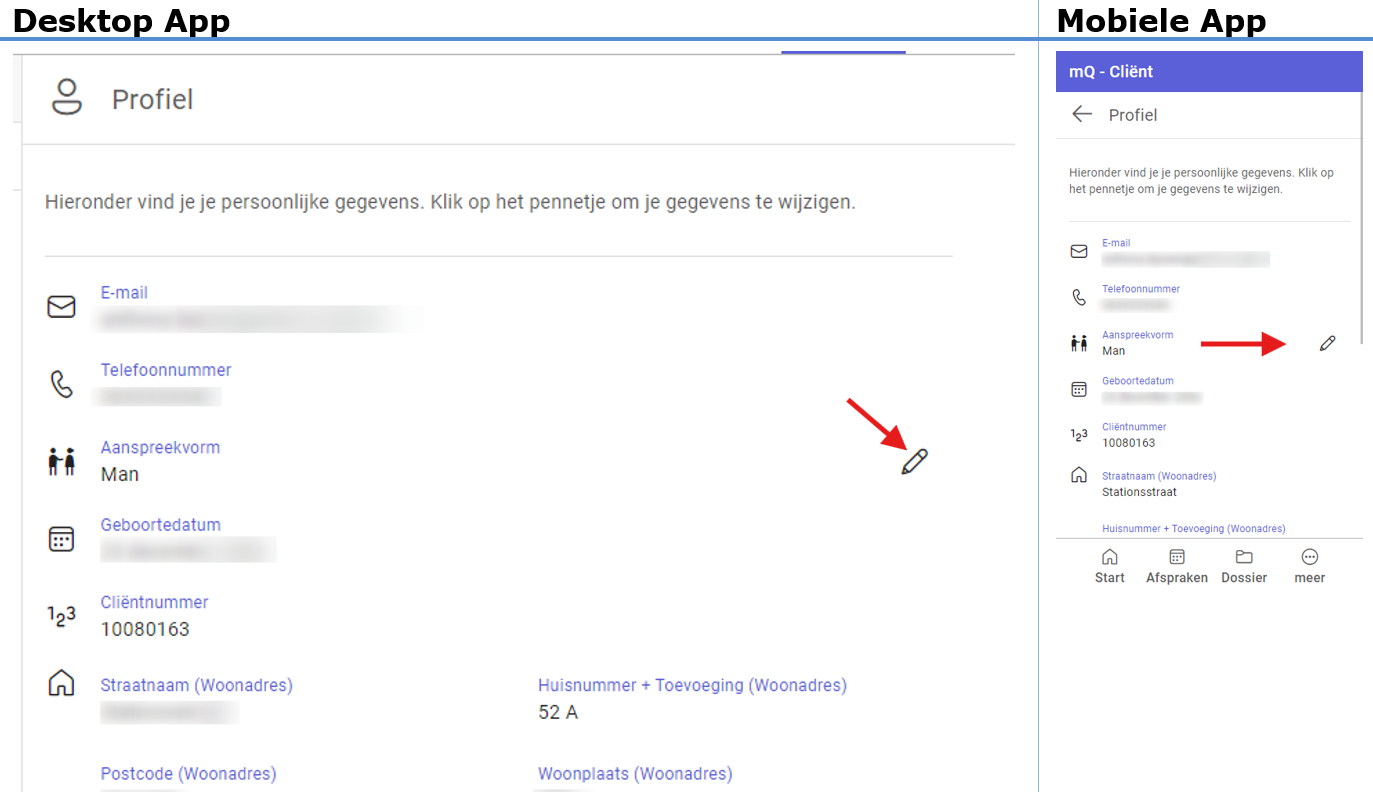
Nu ziet u uw gegevens zoals deze bekend zijn bij uw zorginstelling.
You can change your form of address by clicking on the 'little pencil' to click.