You can try the following:
- Check the spelling
- Try another search

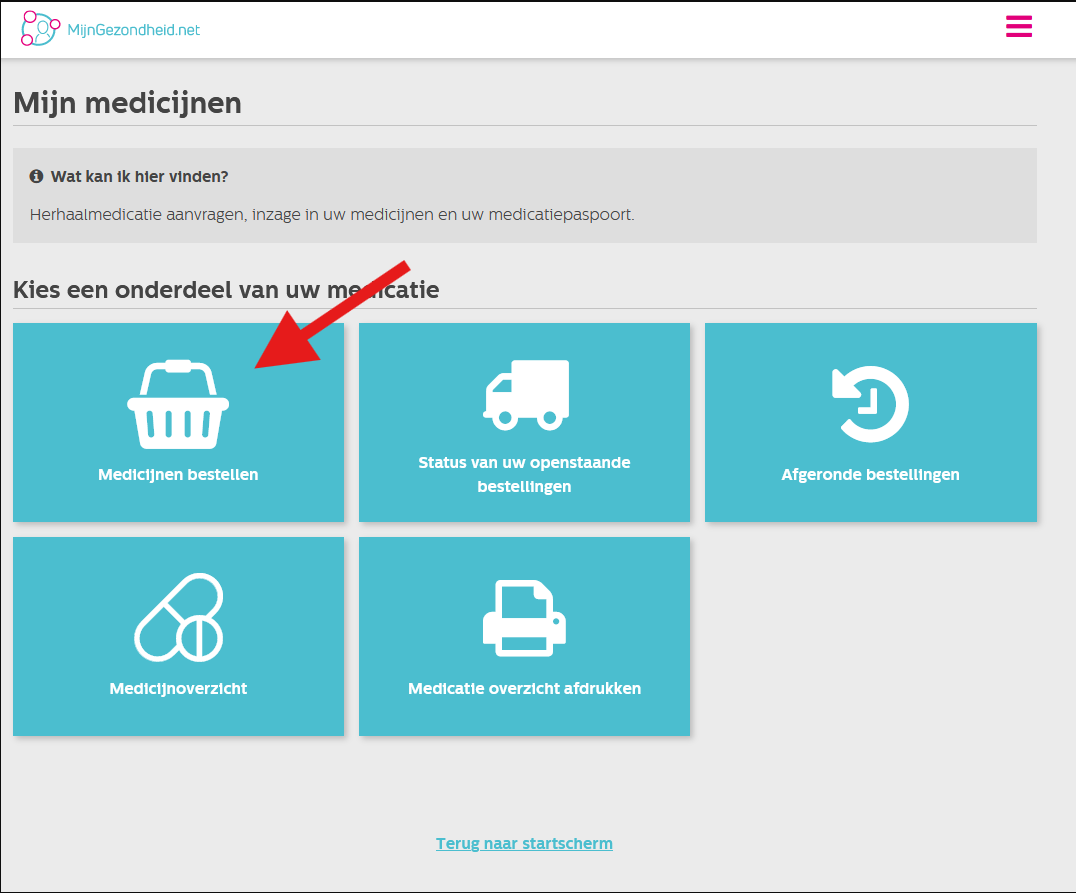
Go to the MijnGezondheid.net website and log in.
Once you are logged in you can click on 'Order medicines' click.
Select the medication you want to order and press 'Next step'
If no medication is visible, your GP has not made it available.
You will now be asked if you want to pick up the medication or have it sent. When you have indicated this, click on 'Next Step'.
You can now post comments. Then press 'Next step'
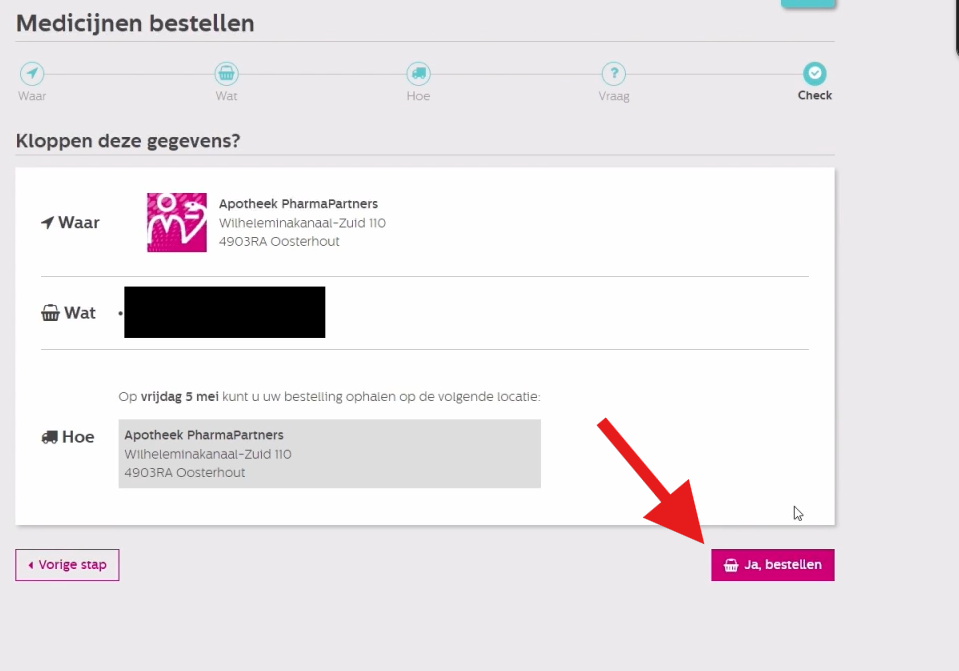
You will now see an overview of the medicines you want to order and how you will receive them. (Pick up or send)
If everything is correct, click 'Yes, order'You will then see a confirmation of the order.